
Everything a field service business runs on
Office, field and money — one connected system. Here's what's inside, workflow by workflow.
Feature areas
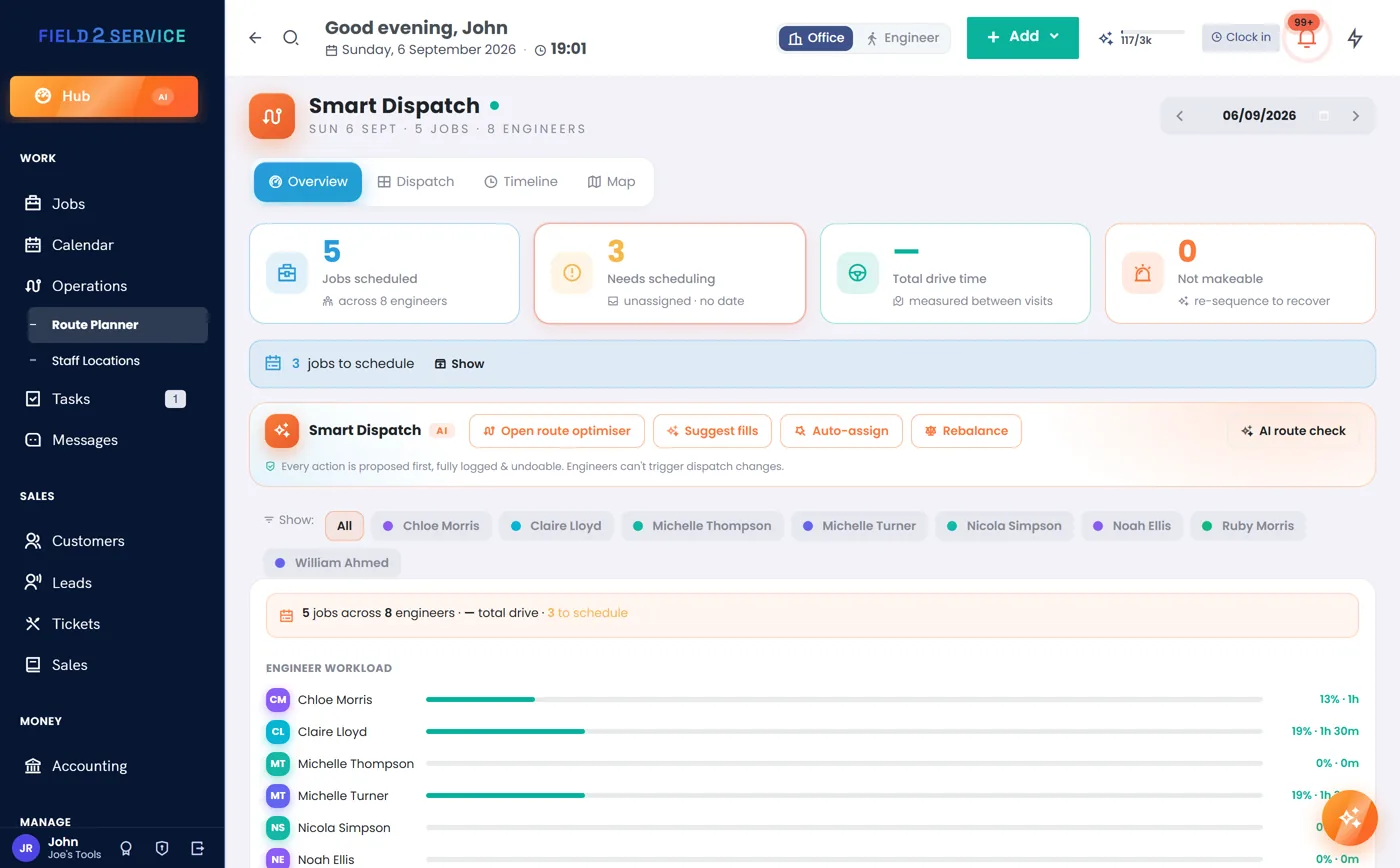
A dispatch board your whole office can trust
Every job on a live board, arranged per engineer per day. Drag to reassign, drop to reschedule — with conflict checks so nobody gets double-booked, and certification checks (Essentials and up) so the right person gets the right job.
- Smart Dispatch board with drag-and-drop assignment (Professional and up)
- Full calendar views for the whole team
- Recurring jobs & maintenance contracts that book themselves (Essentials and up)
- Route planning with day optimisation (Professional and up)
- Job checklists so nothing gets skipped on site (Essentials and up)
- "On my way" texts sent as the engineer sets off (Essentials and up, via your own Twilio account)
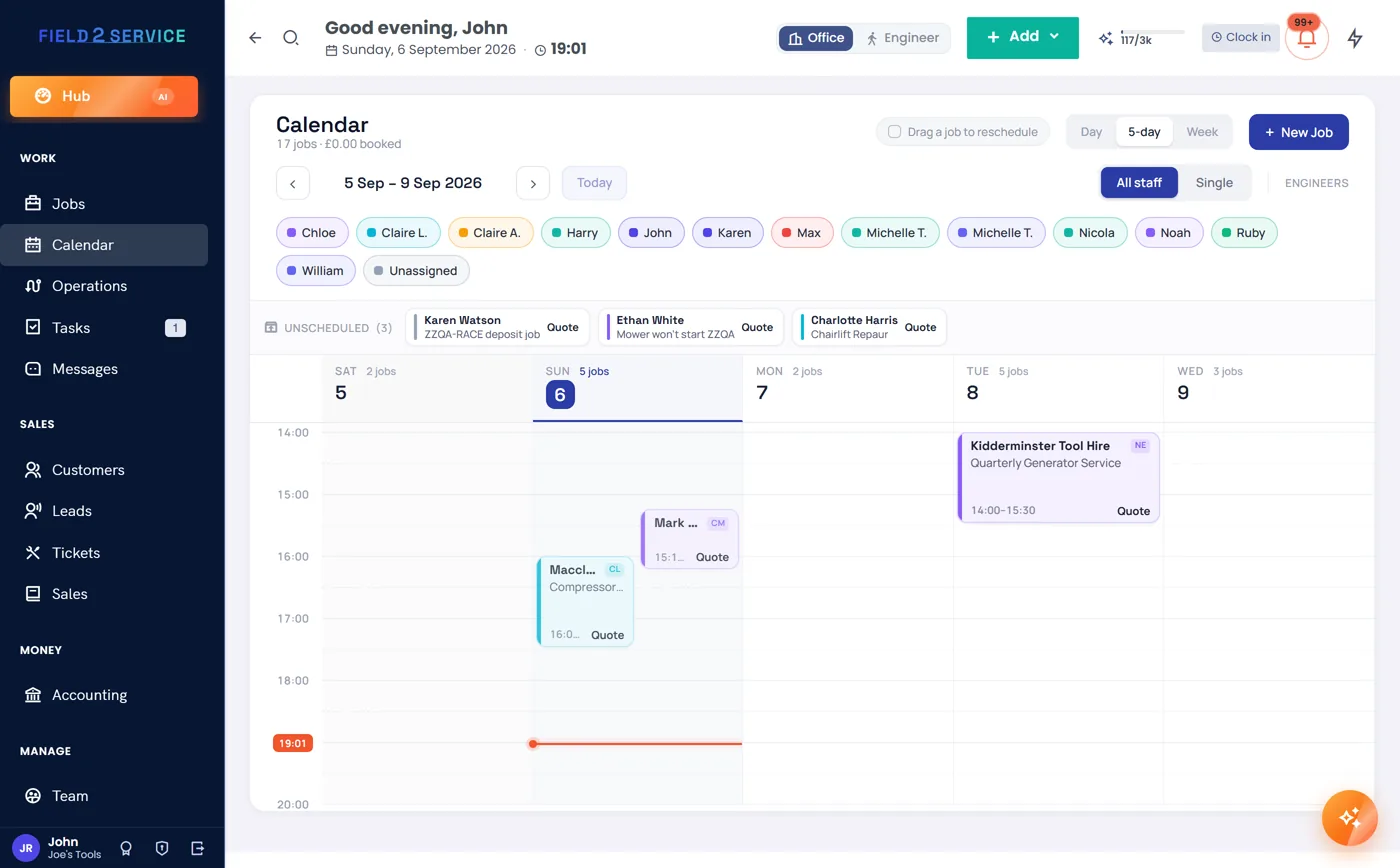
Day, week or month — always current
The calendar and the dispatch board are two views of the same truth. Book from either, and the office, the field and the customer all see the same schedule.
- Colour-coded by status and job type
- Time-window bookings ("between 9 and 11")
- Team working hours and leave respected
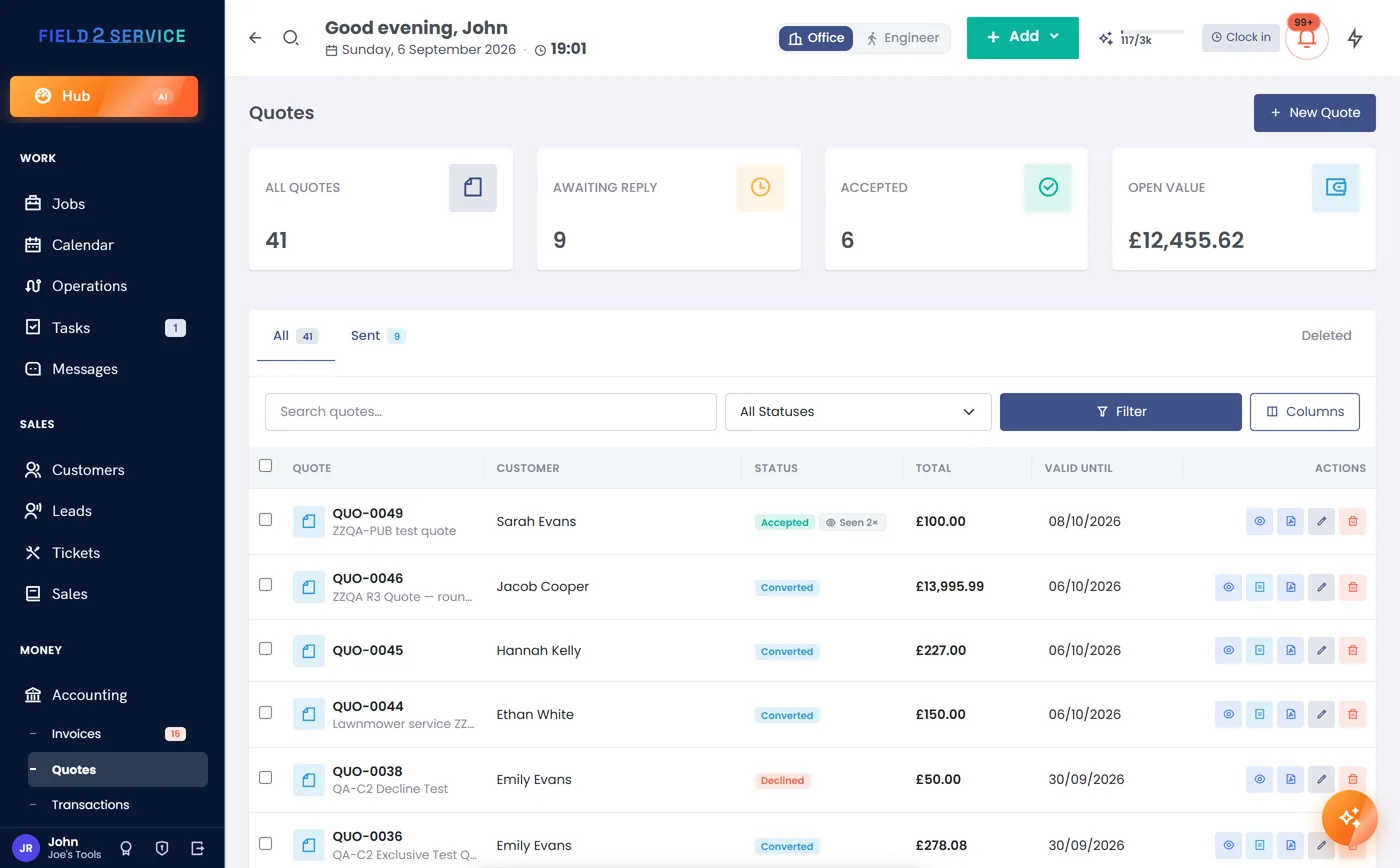
Pricing that gets the tax right, every time
Set whether you show prices inclusive or exclusive of VAT once, and the whole system agrees — quotes, invoices, job values, reports. Not VAT-registered? One clean price field, no clutter, and switching on VAT later takes one toggle, not a migration.
- Quotes with online customer approval and expiry tracking
- Inclusive or exclusive pricing, per-line VAT rates
- Price book for your standard labour and materials (Essentials and up)
- Coupons, discounts and credit notes done properly
- Quote → job → invoice with nothing re-typed
- Branded PDF documents
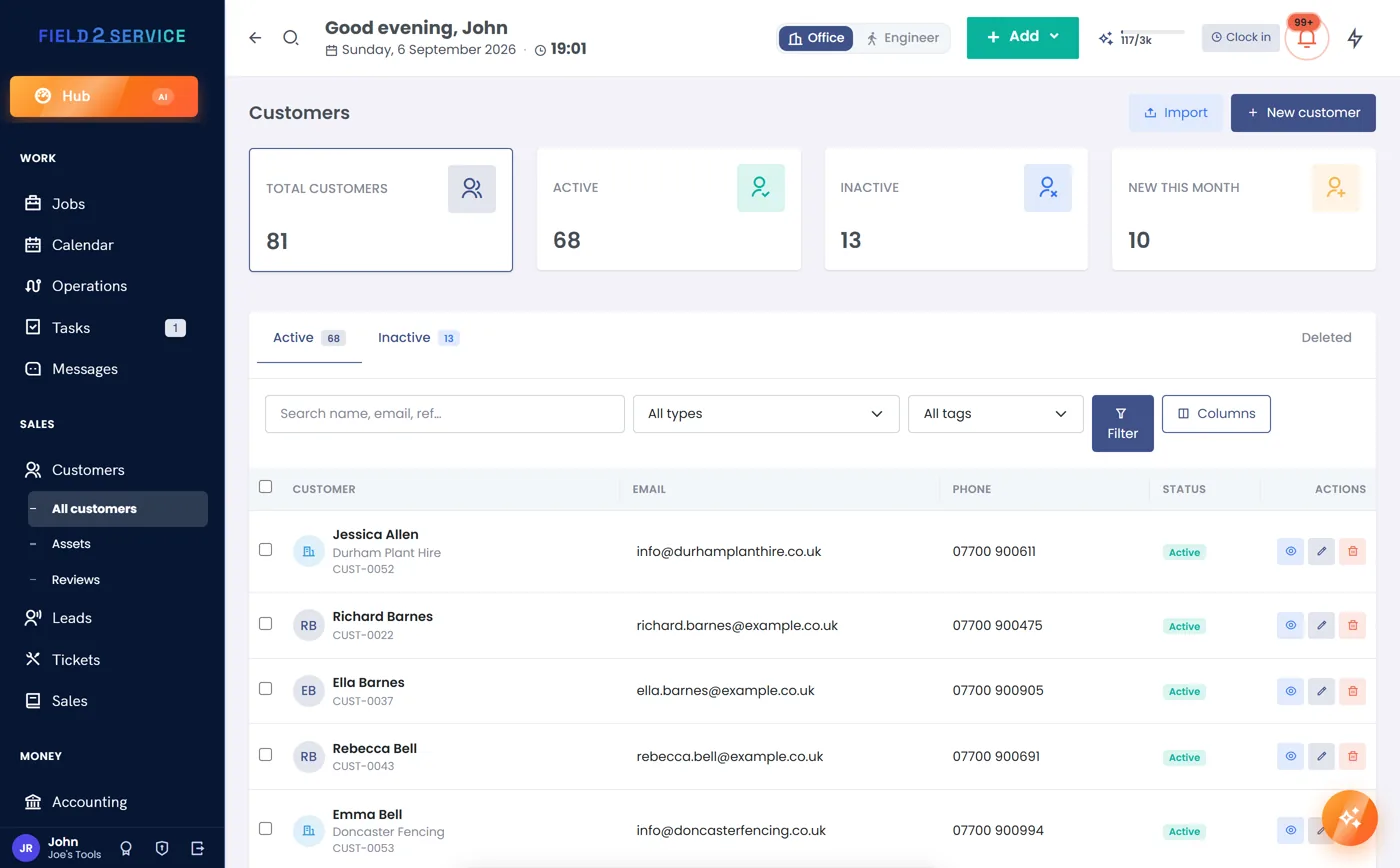
Every customer, every site, every conversation
Full customer records with multiple sites and contacts, a complete activity timeline, and a self-service portal so customers can see their quotes, invoices and job history without ringing the office.
- Multi-site customers with per-site addresses and contacts
- Activity timeline — every job, document and message in one view
- Customer portal: view, accept quotes and pay online (Essentials and up)
- Review requests after a job well done (Essentials and up)
- CSV import to bring your existing book across
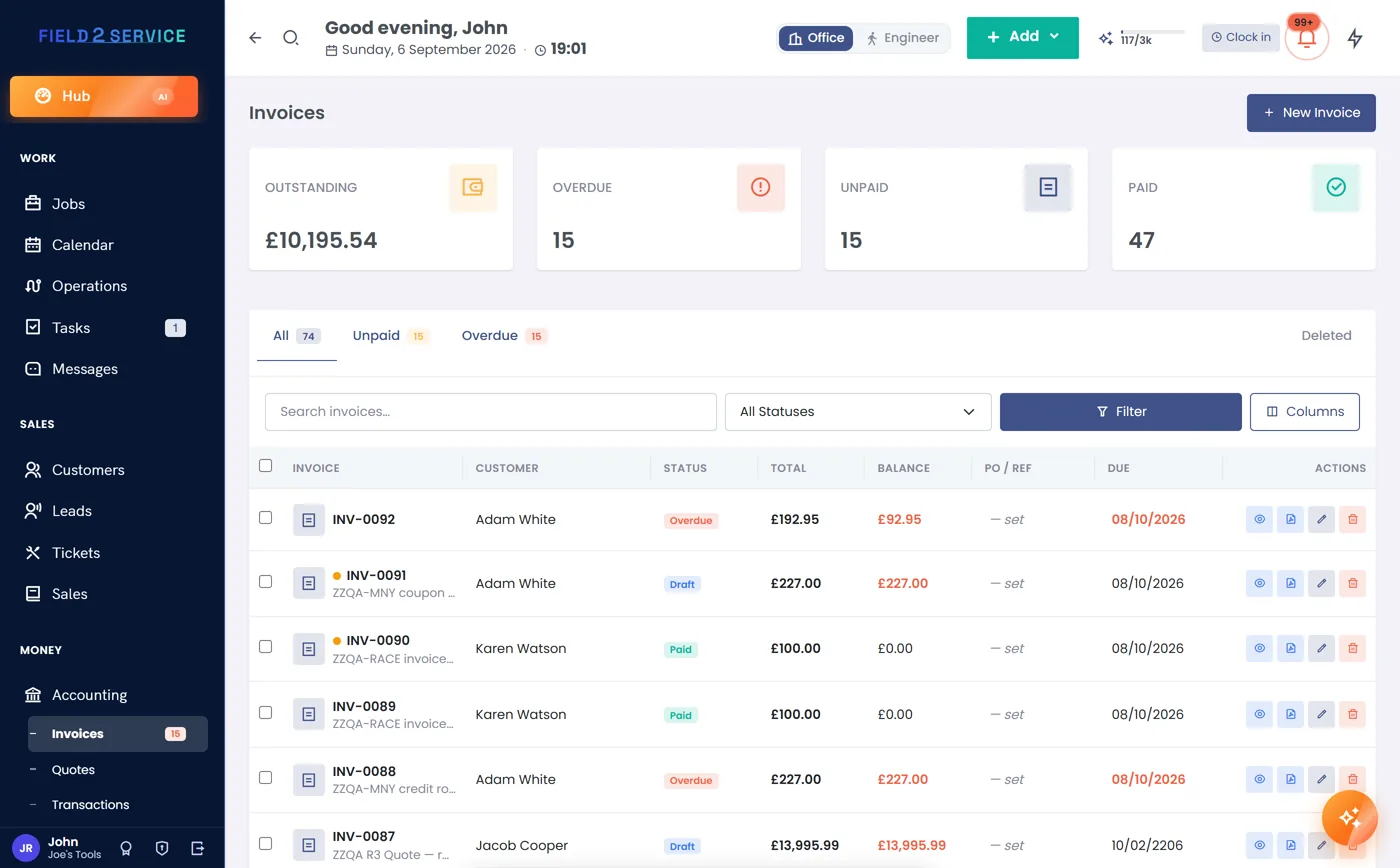
Money that reconciles itself
Take card payments online through Stripe or PayPal (Essentials and up; connect your own Stripe or PayPal), collect deposits on jobs before the work starts, and keep customer credit on account until it's needed. Every payment flows back to its invoice automatically — balances are always right.
- Online payment links on every invoice (Essentials and up; connect your own Stripe or PayPal)
- Deposits on jobs requested up front, applied automatically (Essentials and up)
- Account credit — money on file, used when needed
- Automatic overdue reminders that chase for you
- Aged-debtors view so nothing slips
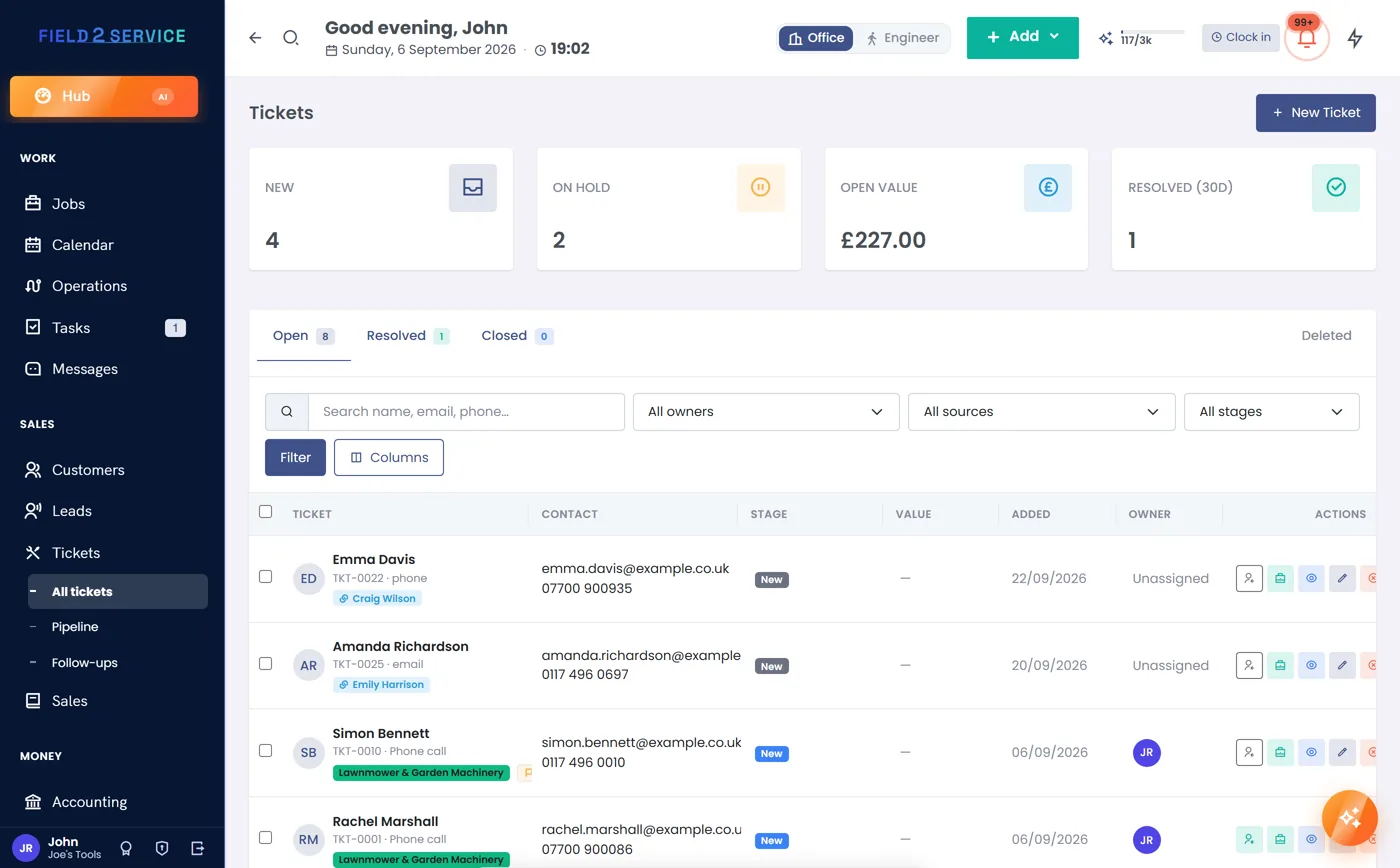
Every issue logged, none forgotten
Repairs, complaints, warranty claims and call-backs get their own pipeline — from new to resolved — with priorities that raise alerts when something urgent lands. Convert a ticket straight into a job or quote when it becomes real work.
- Ticket pipeline: new → open → on hold → resolved
- Urgent priorities trigger instant alerts
- One-click conversion to jobs and quotes
- Linked to the customer's full history
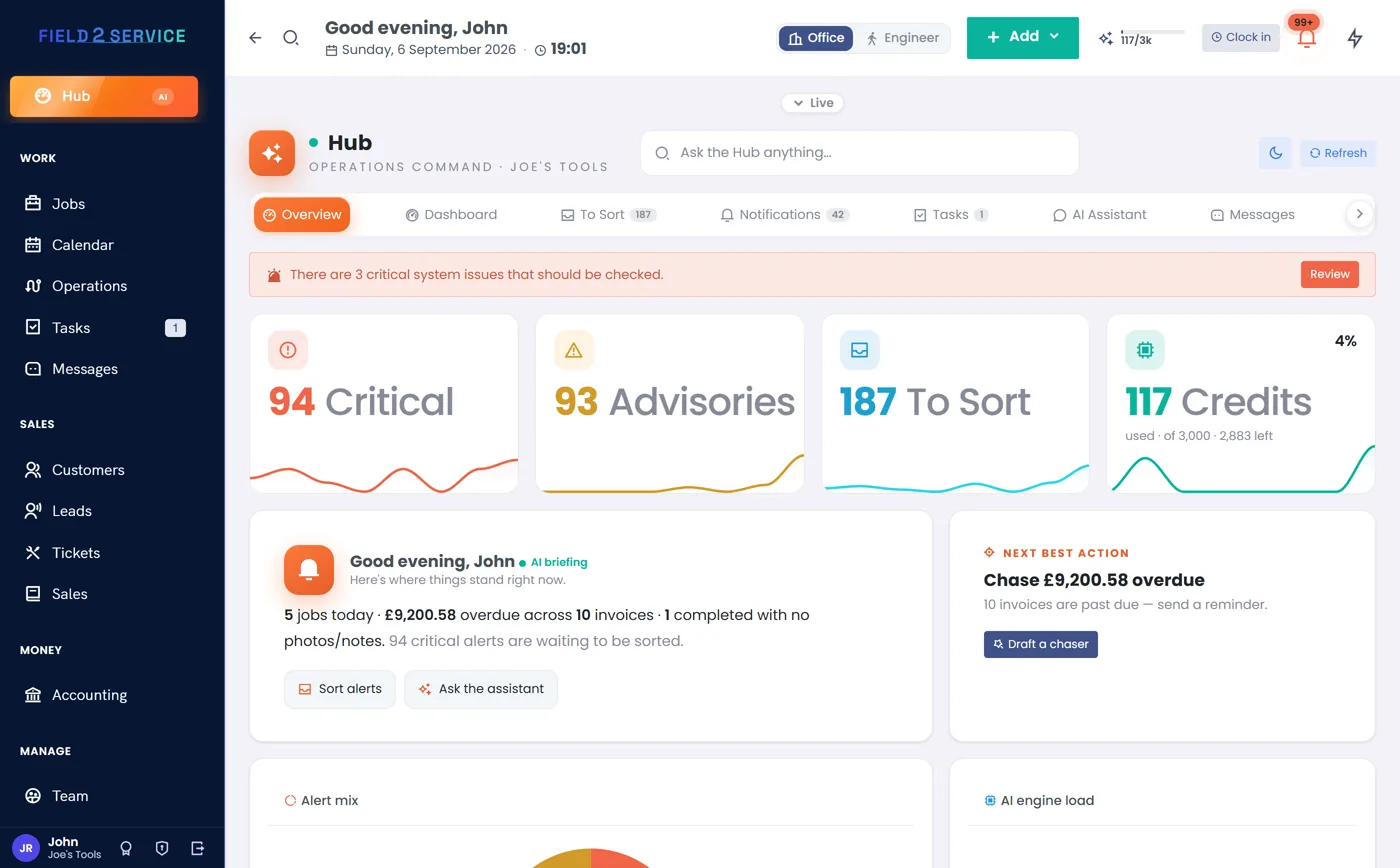
The admin assistant you didn't have to hire
Ask questions in plain English — "what's still unpaid this month?", "who's free Thursday?" — and get answers from your own data. Ask it to act — draft a reminder, move a booking — and it proposes the change first; you confirm, and everything it does can be undone.
- Chat with your business data — jobs, money, customers
- Confirm-first actions, every one reversible
- Smart Assist flags problems before they bite
- A morning briefing of what needs attention
- Hub command centre — alerts, tasks and messages in one place
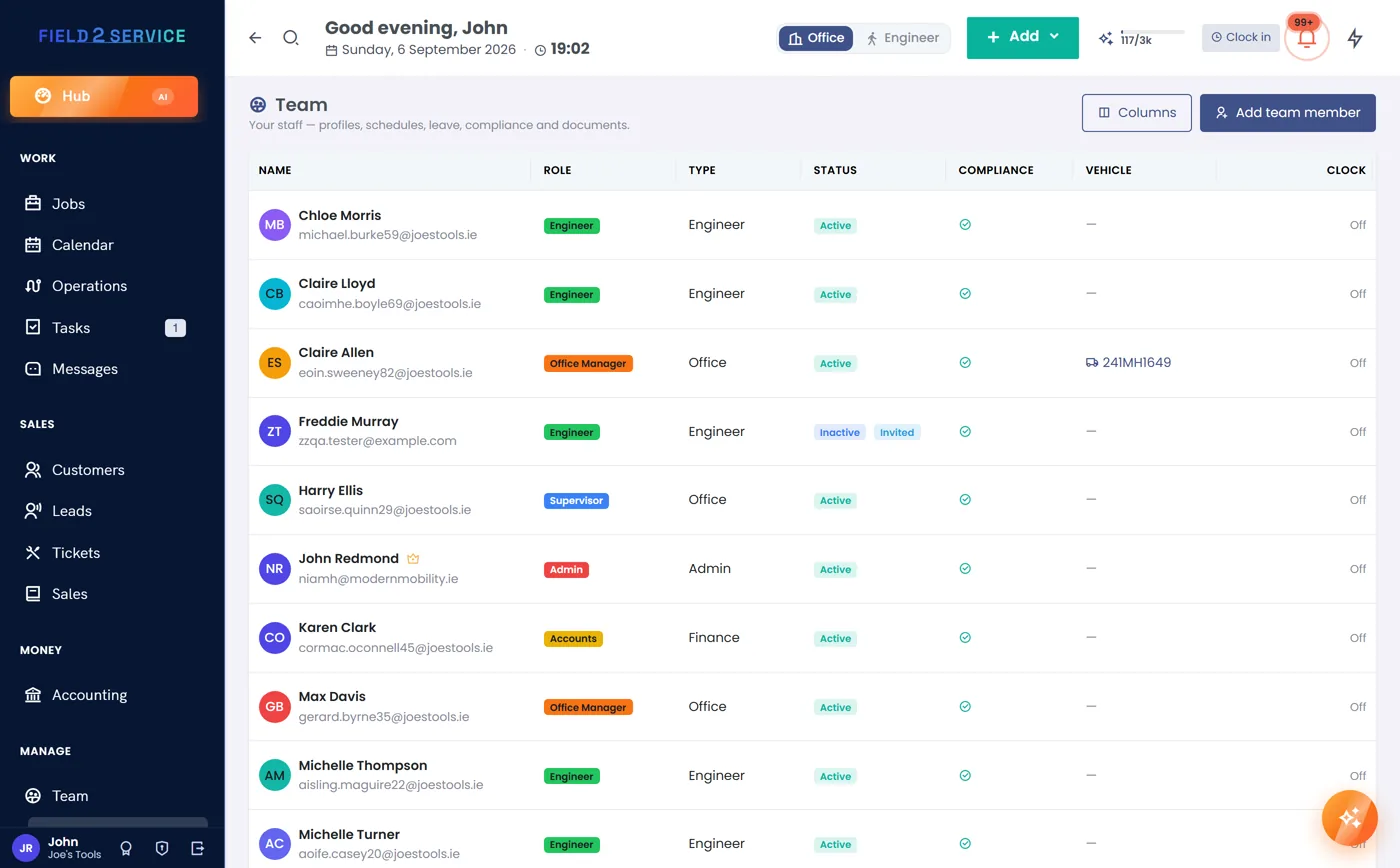
The people and vans behind the work
Staff profiles with schedules, leave and HR documents. Certifications tracked with expiry warnings — and dispatch guards so an expired cert can't be sent to a job that needs it. Vehicles get their own register with tax, test and service reminders.
- Team hub — profiles, schedules, leave and documents
- Certification register with expiry alerts and dispatch guard (Essentials and up)
- Vehicle register with tax / test / service reminders (Professional and up)
- Time tracking and clock-in/out
- Role-based permissions for office and field
Know your numbers without a spreadsheet
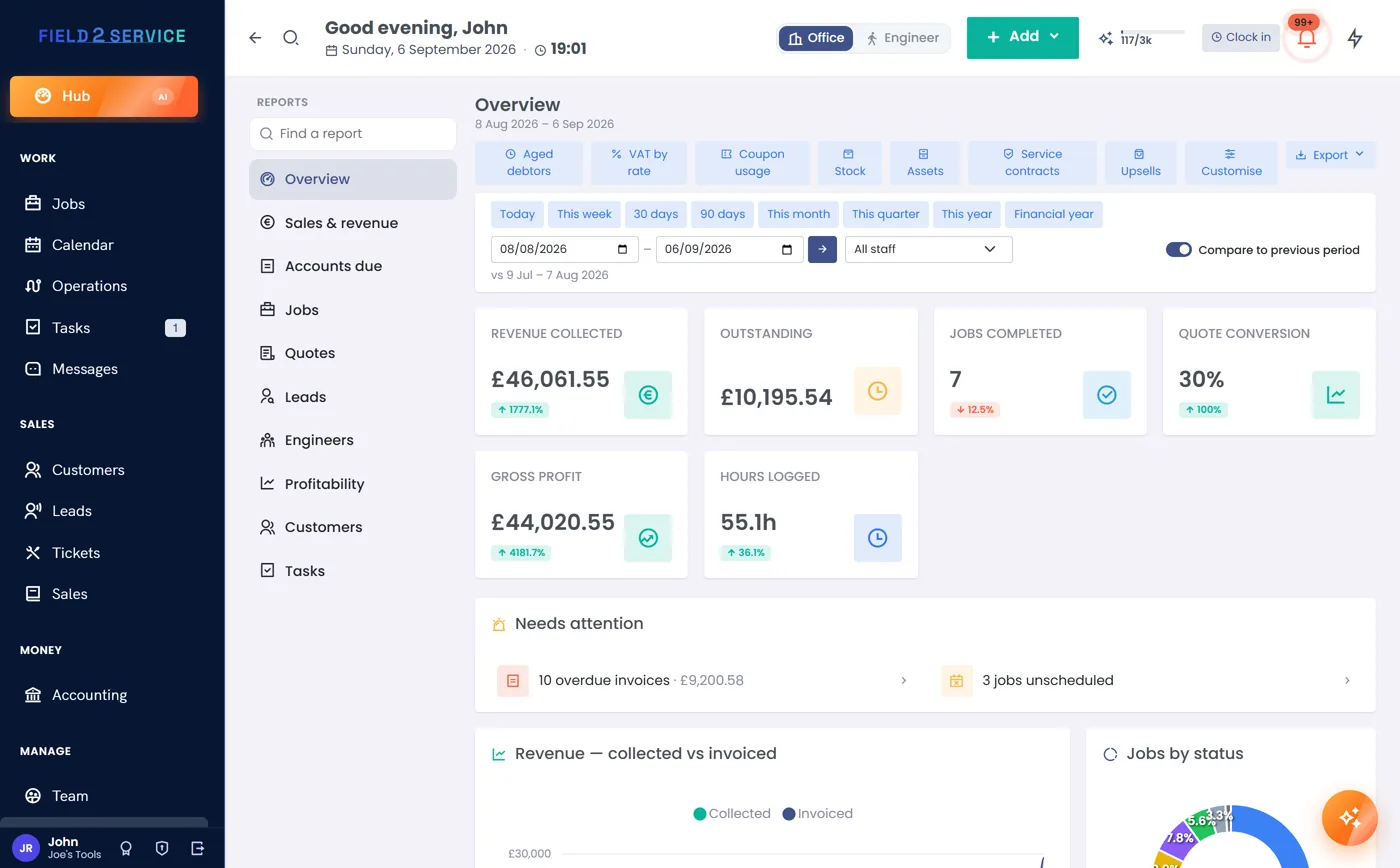
Revenue, jobs, quotes won and lost, aged debtors, VAT summaries, team utilisation — real reports from real data, ready when you are.
- Revenue and money reports, month by month
- Aged debtors — who owes what, and for how long
- VAT summary for your returns
- Job and team performance
Collect booking requests while you sleep
Your public booking page lets customers choose a service and send up to three preferred dates or times. Each request lands in the Hub for your office to confirm against the real schedule — no accidental double-booking.
- Up to three preferred dates or times inside your booking window
- Service selection with your pricing
- Requests flow straight into the Hub for approval

Everything the engineer needs, on any device
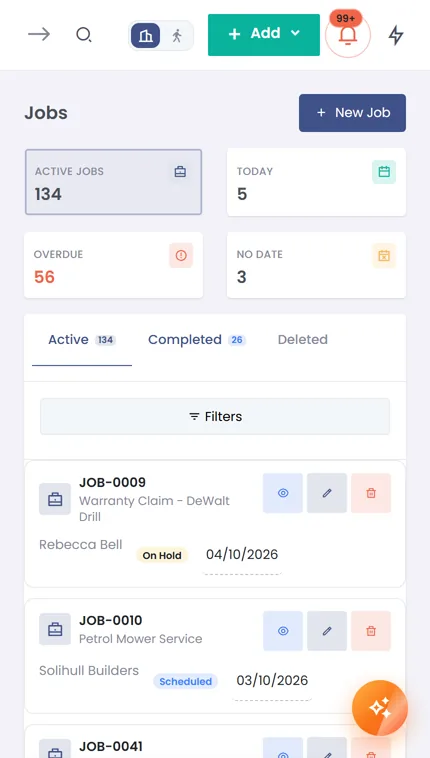
The field view runs in the browser on any phone — today's jobs, customer details, checklists, photos, signatures and clock-in/out. Engineers see their own work and nothing else.
- Today's route and job details on the phone
- Signed completion sheets, captured on site
- Clock-in / clock-out with time tracking
- Works on any modern phone — nothing to install
See it with your own data
The features included in your chosen plan are available throughout your 14-day trial — no card details, no sales call.
Get startedOr compare the plans first.